
Navigating Features of the FluidityIQ Results Page
A quick primer on accessing core features
Utility and portfolio results
FluidityIQ is a feature-rich, all-in-one platform. Rather than offering multiple modules that customers must subscribe to separately, the platform includes portfolio management, utility patent search, and industrial design search in a single subscription. The price is the same whether you use the embedded AI capabilities or need complete global coverage for a search. Our unique pay-as-you-go model helps customers align cost with value in a way no other platform supports.
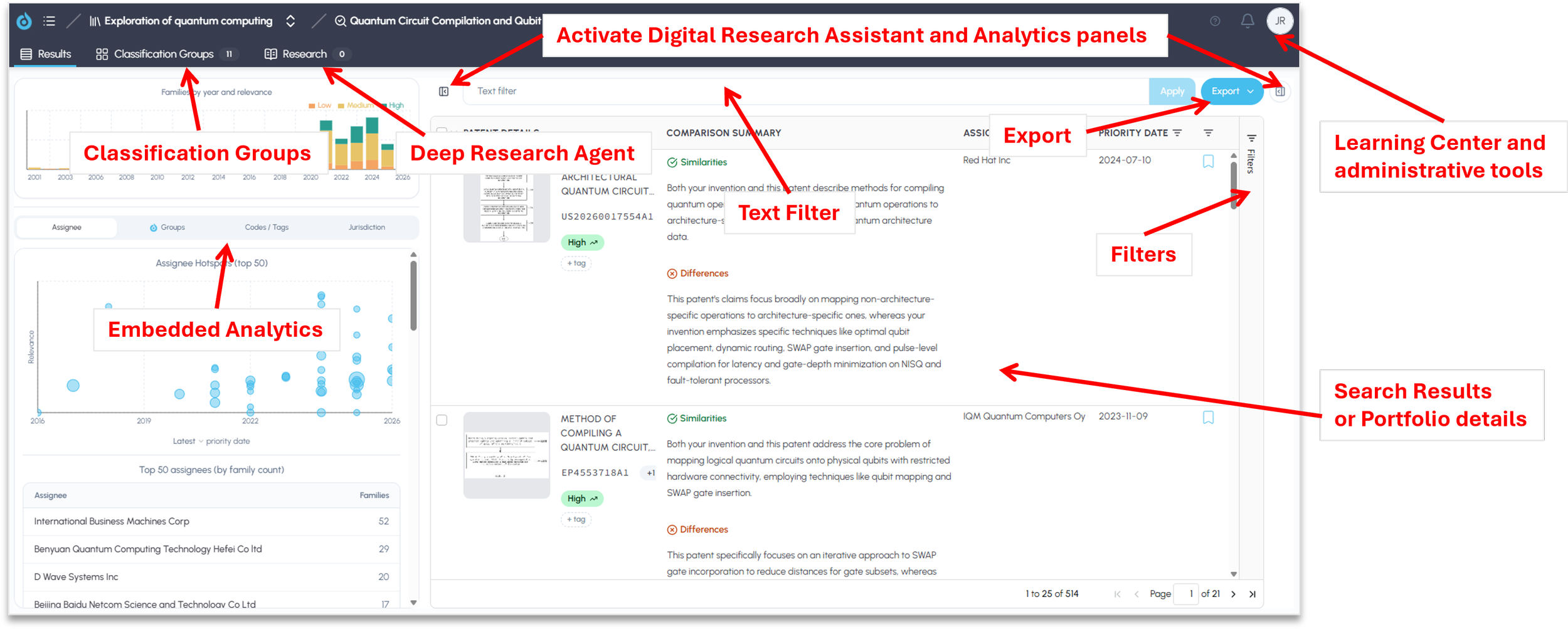
Portfolio analysis and utility patent searches begin on the same results page. From here, you can access the following features:
· Search Results – View up to 1,000 patent families in a search, or up to 5,000 patents in a portfolio.
· Embedded Analytics – Interactive visualizations of assignees, classification groups (sub-clusters), CPC and IPC codes, customer tags, and jurisdictions.
· Classification Groups – Descriptions of the sub-clusters within your results (or portfolio).
· Digital Research Assistant – A dynamic AI agent that enables contextual conversations with your portfolio or the full text of your search results. Use it to summarize results, compare sets of patents, find non-patent literature, and more.
· Deep Research Agent – An interactive agent that creates formatted reports, such as novelty and landscape reports.
· Text Filter – Search within your results (or portfolio) for one or more keywords or phrases.
· Filters – In addition to the filters at the top of the results grid, you can filter results by assignee, priority date, bookmark, jurisdiction, classification group (cluster), IPC code, CPC code, customer tag, publication type, legal status, or similarity category.
· Export – Create a summary export of your results, or a comprehensive export that includes additional data such as claims and descriptions.
Design search
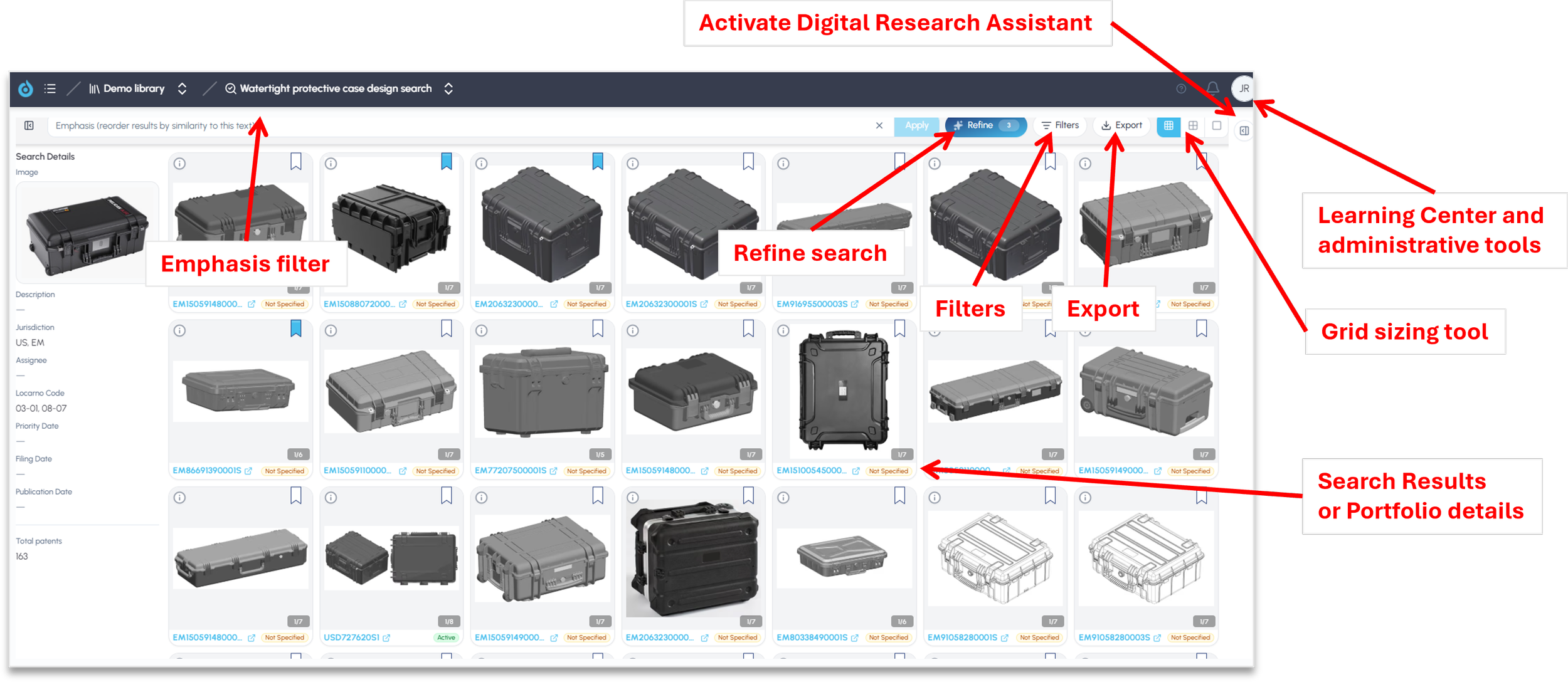
The presentation changes for design searches. Instead of a results list, you will see a grid of semantically relevant images, whether the search was initiated by uploading an image, entering a text description, or both. The design results page includes the following features:
· Emphasis Filter – Filter results by a descriptive feature.
· Refine Search – Improve a design search by bookmarking the results with the most relevant characteristics.
· Grid Sizing Tools – Change the number of images displayed on the screen.
· Digital Research Assistant – A dynamic AI agent that enables contextual conversations with your design search results. Use it to summarize results, compare designs, find non-patent literature, and more.
Together, these features let you move from search to insight without leaving the results page or switching tools. Whether you are analyzing a portfolio, searching utility patents, or exploring industrial designs, you can filter, analyze, research, and export your results in one place. For portfolios and utility searches, a good starting point is to review the Embedded Analytics and Classification Groups for a quick view of your results, then use the Digital Research Assistant and Deep Research Agent to go deeper. For more detail on any individual feature, explore the related articles in the Learning Center or contact our support team.
Please reach out to support@fluidityiq.com for more assistance on using any of the features of FluidityIQ.